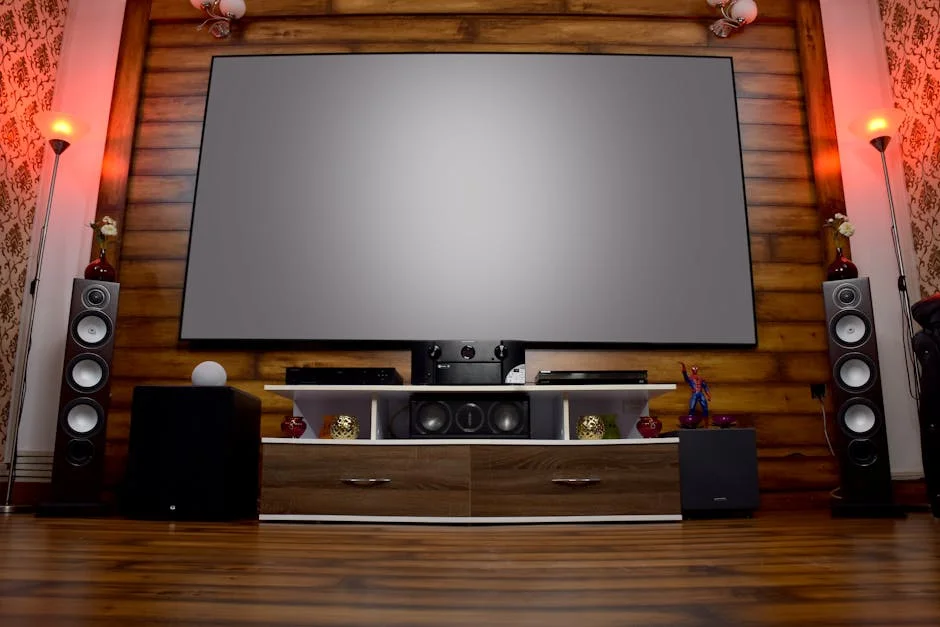
Projector vs TV Cost: A Practical Comparison Guide

Affiliate disclosure: Some links on this page are affiliate links. If you buy through them we earn a small commission at no extra cost to you. Recommendations are research-driven; we don't claim personal use of every product reviewed. Product prices and availability are accurate as of the date published and are subject to change. Always check Amazon for current pricing before purchasing. Learn more.

Projector cost versus TV cost is one of those questions that sounds simple until you start pulling on the thread. Screen size, room setup, light source type, and how you actually use the room all shift the answer — sometimes dramatically.
The five projectors covered here span lamp-based LCD, DLP, and triple-laser light sources, from the Epson 3800 up through the Hisense PX3-PRO ultra-short-throw. Before comparing them, the broader Projectors hub is worth a read for context on how these categories sit relative to each other.
Side-by-Side
| Feature | Epson HC 3800 | Epson HC 4010 | BenQ TK710 | Optoma HZ40HDR | Hisense PX3-PRO | |, |, |, |, |, |, | | Light source | Lamp (UHE) | Lamp (UHE) | Laser | Laser | Triple laser | | Rated lumens | 3,000 | 3,000 | 3,200 | 3,000 | 3,000 | | Native resolution | 1080p (pixel-shift to 4K) | 1080p (pixel-shift to 4K) | 4K UHD native | 1080p (pixel-shift) | 4K UHD native | | HDR support | HDR10, HLG | HDR10, HLG | HDR10, HLG | HDR10, HLG | Dolby Vision, HDR10+, HLG | | Throw type | Standard | Standard | Standard | Standard | Ultra-short | | Throw ratio (approx.) | 1.38, 2.37:1 | 1.38, 2.37:1 | 1.13, 1.47:1 | 1.39, 2.22:1 | ~0.25:1 | | Lens shift | V ± 96%, H ± 47% | V ± 96%, H ± 47% | Vertical only | None | None | | 3D support | Yes | Yes | Yes | No | No | | Built-in OS | None (no smart features) | None (no smart features) | Android TV | None | Google TV | | Key differentiator | Entry mid-tier, lens flexibility | Popular mid-range reference | 240Hz, 4ms gaming | Laser at low price | UST, living room install |
Key Differences
Light Source and Lamp Life
The most consequential split in this group is lamp versus laser. The Epson Home Cinema 3800 and Epson Home Cinema 4010 both use UHE lamp technology rated for approximately 3,500 hours in normal mode and up to 5,000 hours in eco mode. That is enough for several years of regular use before a replacement lamp is needed — and replacement lamps are available and reasonably sourced. The trade-off is that lamps dim gradually over their life cycle, color calibration drifts, and at end-of-life the projector goes dark until you replace the bulb.
The BenQ TK710, Optoma HZ40HDR, and Hisense PX3-PRO all use laser light sources rated for 20,000, 30,000 hours depending on mode. Practically speaking, laser projectors do not need bulb replacements within any realistic ownership window for a home theater buyer. Color consistency holds far better over time, startup is instant with no warm-up, and low-brightness eco modes stay usable rather than washed-out. For a dedicated room that runs movies most nights, the long-term maintenance difference between lamp and laser is meaningful.
Native Resolution vs. Pixel-Shift 4K
Three of the five projectors here — the 3800, 4010, and Optoma HZ40HDR — use pixel-shift technology, also called e-shift or 4K enhancement, rather than native 4K chips. The underlying panels are 1080p, and the projector rapidly shifts pixels diagonally to simulate 4K density. Projector Central’s measurements show this produces a noticeably sharper image than 1080p, but it does not resolve fine detail the way a true 4K panel does at close viewing distances or on larger screens.
The BenQ TK710 and Hisense PX3-PRO use native 4K DLP and laser panels respectively. If your screen is 120 inches or larger and your front row sits within 12 feet, the resolution difference between pixel-shift and native 4K becomes visible on high-bitrate 4K Blu-ray.
Throw Distance and Room Fit
Four of the five projectors here are standard-throw, requiring ceiling mount or shelf placement several feet back from the screen. The 3800 and 4010 share identical throw specs — approximately 1.38:1 to 2.37:1 — which means projecting a 120-inch image requires roughly 13 to 22 feet of throw distance depending on zoom setting. The BenQ TK710 has a tighter zoom range (1.13, 1.47:1), which reduces placement flexibility. The Optoma HZ40HDR’s range is similar to the Epsons.
The Hisense PX3-PRO is a fundamentally different installation. Ultra-short-throw means the unit sits 6-12 inches from the wall, projecting upward onto the screen. There is no ceiling mount, no long cable run to the back of the room, and no projector cord crossing the seating area. For a living room where drilling ceiling mounts is not practical, UST changes the calculus entirely. The trade-off is that ambient light control matters more with UST — the image originates from below the screen, which makes ceiling-reflection bounce more visible than with a standard-throw ceiling mount.
Gaming Performance
The BenQ TK710 is the only projector in this group built with gaming as a co-equal use case. Its 4ms input lag at 4K/60Hz and 240Hz high-refresh mode at lower resolutions are specifications the Epsons and Optoma do not come close to matching. The 4010’s input lag is in the 25, 30ms range — acceptable for casual gaming and most single-player titles, but not competitive. If a household uses the theater room for serious gaming in addition to movies, that distinction matters.
HDR and Dolby Vision
The Hisense PX3-PRO is the only unit here supporting Dolby Vision, which requires both a hardware-certified display and a compatible source. For buyers using an Apple TV 4K, Nvidia Shield Pro, or compatible streaming apps, Dolby Vision delivers dynamic tone-mapping on a per-scene basis rather than the static HDR10 curve the other projectors apply. On paper this is an advantage. In practice, the projector’s peak brightness ceiling and room light control determine how much of that advantage is visible. HDR10 on a well-calibrated projector in a dark room still produces a strong picture.
Who Should Buy Which
Buyers who want Epson’s lens-shift flexibility and a lamp-based LCD image at the lowest cost in the series will find it delivers. Those who can stretch the budget should compare carefully to the 4010 before committing.
The 4010 is the reference anchor for this article — it is the projector that informs the framing of every other pick here. The combination of wide lens shift, solid white and color brightness balance, and the maturity of Epson’s 3LCD processing makes it the most versatile standard-throw recommendation at this tier. The best roundup of alternatives at this price level is the best mid-tier home theater projectors — that article covers the 4010’s direct competitors in more depth.
The BenQ TK710 is for buyers who need gaming performance without buying a separate gaming monitor for the room. Its native 4K panel and 240Hz capability are not matched by anything else here. The shorter zoom range requires more precise placement planning than the Epsons. Buyers primarily watching films and not gaming will not use the features that justify the TK710 over a laser-based movie-first option.
The Optoma HZ40HDR makes the strongest case as a laser upgrade path from the lamp Epsons for buyers who want laser longevity at this price band without paying for UST or a gaming-optimized spec sheet. It lacks lens shift, which makes ceiling-mount placement less forgiving — the room geometry needs to suit the projector rather than the other way around. For rooms already optimized for a standard-throw ceiling mount, that limitation is a non-issue.
The Hisense PX3-PRO suits buyers for whom the installation is the constraint. Living rooms, finished basements without ceiling mount access, or shared family spaces where a ceiling projector is not practical are the right context. The triple-laser image quality and Dolby Vision support are genuinely strong at this tier — Projector Reviews’ long-term reports on comparable Hisense UST units show color consistency holds well. The premium over the other picks here reflects the light source, the Google TV integration, and the IMAX Enhanced certification more than raw specs alone.
Buying Guide

Understanding Lumen Claims
Manufacturers rate projectors in ANSI lumens, but the number on the box reflects the projector at peak output — not the measured output in a calibrated, color-accurate picture mode. A projector rated at 3,000 lumens in bright mode may measure 1,800, 2,200 lumens in cinema or natural mode with accurate color. That gap matters enormously in a room with any ambient light. Projector Central publishes measured lumen output across modes for most mainstream projectors; their numbers are far more useful than the marketing spec for predicting real-room performance.
Room Light Control
This is the variable most buyers underestimate. A projector delivering 2,000 calibrated lumens in a blacked-out room looks excellent. The same projector in a room with recessed lighting that cannot be fully switched off looks washed out. Before selecting a projector, the room treatment plan should be established — blackout curtains, wall color, and ceiling reflection control. The Projectors hub covers room setup considerations in more detail. Throwing money at brightness ratings while leaving ambient light sources unaddressed is the fastest way to be disappointed with any projector purchase.
The Screen Is Not an Accessory
The screen matters as much as the projector. An average projector on an excellent screen looks better than an excellent projector on a basic sheet or a painted wall. Most buyers focus on the projector specification sheet and treat the screen as an afterthought — the screen purchase tends to get squeezed at the end of the budget. This is backwards. Screen material (gain, ALR vs. standard white), screen size, and viewing angle interact directly with the projector’s brightness and contrast figures. Establishing the screen size and type first gives the projector selection a real performance target to meet. For anyone researching mid-range options, the best upper-mid-tier home theater projectors guide walks through screen pairing decisions in the context of this price tier.
Throw Distance Planning
Standard-throw projectors require careful pre-purchase planning. The throw ratio tells you how far back the projector must sit to produce a given image size — but actual placement flexibility depends on whether the projector has lens shift. Lens shift (available on the 3800 and 4010 but not the BenQ or Optoma here) allows the optical axis to be offset from the screen center without keystone correction, preserving image geometry without distorting the picture. Keystone correction is a software fix that degrades sharpness. If the ceiling mount cannot be positioned perfectly on-axis with the screen, lens shift is the cleaner solution. Measure throw distance and mount position before purchasing.
Laser vs. Lamp: Total Cost of Ownership
Laser projectors cost more upfront but eliminate lamp replacement costs and the performance degradation associated with aging lamps. A lamp replacement typically occurs every three to five years for normal use patterns — that cost, multiplied over a ten-year ownership window, closes a meaningful portion of the initial price gap between lamp and laser options. For buyers comparing the lamp Epsons against the laser alternatives in this group, the right framing is total cost over five or more years, not purchase price alone. Buyers planning shorter ownership windows before upgrading should weight the equation differently.
Frequently Asked Questions
Is a projector actually cheaper than a TV for a large screen?
At screen sizes above 100 inches, a mid-range projector and screen combination is almost always less expensive than a comparable TV — because large-format TVs carry a significant size premium that projectors do not. Below 85 inches, the cost equation reverses and a TV is often the more practical purchase. The projector cost advantage grows as target screen size increases, but installation costs — screen, mount, cabling — must be included in the comparison.
What is the real difference between the Epson 3800 and 4010?
The 3800 and 4010 share the same 3LCD optical engine, throw range, and lens-shift range. For buyers whose budget lands comfortably at the 4010 tier, the upgrade is worth it. For buyers at the lower end of this range, the Epson Home Cinema 3800 delivers the core Epson strengths at a lower entry point.
Does pixel-shift 4K look noticeably different from native 4K on a projector?
At typical home theater viewing distances — 10 to 14 feet from a 100-120 inch screen — the difference is visible on high-bitrate 4K Blu-ray but subtle during streaming content. Native 4K chips resolve fine detail more cleanly, particularly in scenes with dense texture. Pixel-shift projectors like the Epson 4010 produce a sharper image than 1080p and satisfy most viewers; buyers who prioritize absolute resolution over budget and lamp-life concerns should look at the BenQ TK710 as the native 4K option at this tier.
Is an ultra-short-throw projector worth the premium over a standard-throw model?
For rooms where ceiling-mount installation is not practical — living rooms, rental spaces, finished basements — the installation simplicity of a UST projector like the Hisense PX3-PRO justifies a substantial premium. In a purpose-built dedicated theater room where ceiling mounting is already planned, the premium is harder to justify on installation grounds alone, and the standard-throw options in this group will deliver comparable or better value per lumen.
How much does room light control affect projector image quality?
More than almost any single hardware upgrade. A projector that measures 2,000 calibrated lumens in a room with uncontrolled windows or ceiling-reflected ambient light will look washed out in a way that no brightness setting can correct. Buyers starting out should consult the best upper-mid-tier laser projectors guide for context on how light source type interacts with room conditions before finalizing a projector choice. Getting the room right first is the highest-return action in any home theater build.
Where to Buy
Epson Home Cinema 3800 4K PRO-UHD 3-Chip Projector with HDRSee Epson Home Cinema 3800 4K PRO-UHD 3-C… on Amazon